View Hidden Parts of Tables
To display hidden parts of a table, press Ctrl+D or from the View menu, select Hidden Parts.
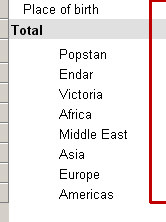
The Hidden parts of the table will be shaded in gray.
In the following example the Total row is hidden.
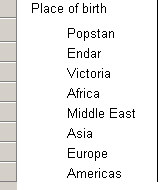
When normally displayed or printed the stubs will look as follows.
Note: If you display hidden parts of tables, only data from the first geographic area will be displayed and geographic names will disappear.
See also: Use Print Preview