- CSPro Getting Started Guide
- Introduction
- Installation
- CSPro Tutorial
- About the Tutorial
- Exercise 1: Create a Data Entry Application
- Exercise 2: Create the Data Dictionary
- Exercise 3: Create the Data Entry Forms
- Exercise 4: Enter Data
- Exercise 5: Tabulate Data
- Exercise 6: Modify the Table
- Exercise 7: Add Edits to the Data Entry Application
- Exercise 8: Run a Batch Application
Step 3: Run the Batch Application
(Exercise 8, Run a Batch Application)
Your batch application is now ready to run. CSBatch is the name of the program that runs this application. We will use the data file you created in the previous exercise.
- Run CSBatch by clicking
 on the toolbar, or pressing Ctrl+R.
 - CSPro will ask you to save the changes. Click Yes.
- CSBatch will ask for some data file names. Click in the empty box next to Input Data File and type in MyData.dat and click OK.
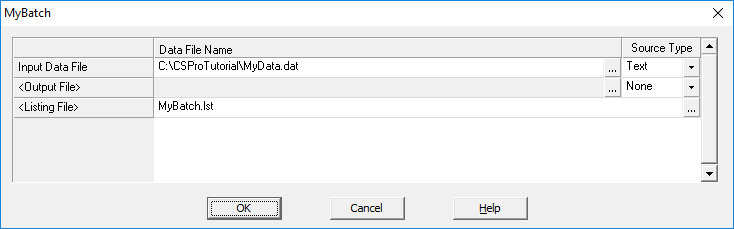
CSBatch will now run your program.
Continue to the next step: Step 4: Examine the Output Report.