Choose Items to Compare
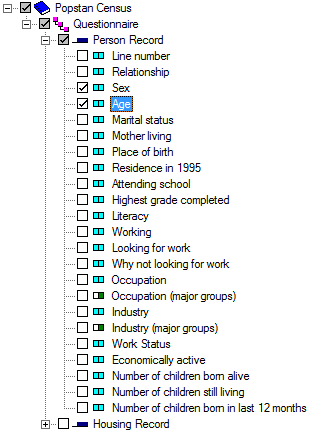
Once you open a dictionary file, you will be presented with a list of variables described by the dictionary. To select an item for comparison, click on the tick box for the item. The tick mark will show for selected items. Clicking on a selected item will deselect that item.
In the image below, the user requested sex and age for comparison:
Tips
- Choosing a record automatically selects all items for that record.
- Deselecting a record automatically deselects all items for that record.
- If an item is contained within another item, that is subitems, those subitems are considered separate items by Compare.
- The selection tree shows either dictionary names or labels. To toggle between names and labels, press Ctrl+T. The output listing will show either names or labels depending on the setting of the selection tree.